|
Brand Name |
Unity AI |
|
Parent Company |
Unity Technologies |
|
CEO |
Matthew Bromberg |
|
Headquarters |
San Francisco, California, USA |
|
Product Type |
In-editor AI assistant for game development |
|
Launch Date |
Open beta released May 4, 2026 |
|
Replaces |
Unity Muse (deprecated) |
|
Core Components |
AI Assistant, AI Gateway, MCP Server |
|
Operating Modes |
Ask, Agent, and Plan |
|
Compatibility |
Unity 6.0 and later versions |
|
Pricing (Personal) |
Free 14 day trial, then $10 per month for 1,000 credits |
|
Pricing (Pro/Enterprise) |
Included in existing subscription |
|
AI Models Used |
Third party frontier models including Gemini |
|
Official Website |
unity.com/features/ai |
|
ICON POLLS Rating |
3.0 out of 5.0 |
What is Unity AI?
Unity AI is an in-editor assistant built directly into the Unity 6 game engine. Unlike traditional AI tools that live in a browser tab or an external app, Unity AI works inside the editor and reads your project context in real time. That means it understands your scene hierarchy, your GameObjects, your packages, your target platform, and even your coding style before it gives you a suggestion.
The product ships with three main components. The first is the AI Assistant, which is the conversational agent you talk to. The second is the AI Gateway, which lets you bring in your own third party AI subscriptions if you already pay for ChatGPT or Claude. The third is the official Unity MCP Server, which lets external tools and IDEs hook into your Unity project context.
Unity AI runs on third party frontier models, including Gemini, rather than Unity's own first party models. This is a significant shift from the previous Muse approach, and it shows that Unity has accepted that building competitive foundation models is not where they want to spend their resources.
Unity AI Review in 2026: The Honest Verdict
After putting Unity AI through real project work, our overall impression is that it is genuinely useful but still very much in beta. The Assistant is solid for boilerplate work like writing C# scripts, setting up basic player controllers, or generating placeholder assets. It saves real time on the kind of repetitive setup that usually eats an afternoon.
Where it falls short is anything that requires actual design judgment. If you ask it to build a complex enemy AI behaviour or tune a difficult physics interaction, you still need to do most of the thinking yourself. The community has also flagged quality issues with some of the generated character models in the beta showcase, and we noticed the same when we tested the Generators.
Compared with third party tools like Bezi, which has been getting a lot of community love, Unity AI feels official and well integrated but a step behind in raw assistant quality. That said, the deep editor integration is something no third party can match yet, and that alone makes it worth installing.
Unity AI Assistant
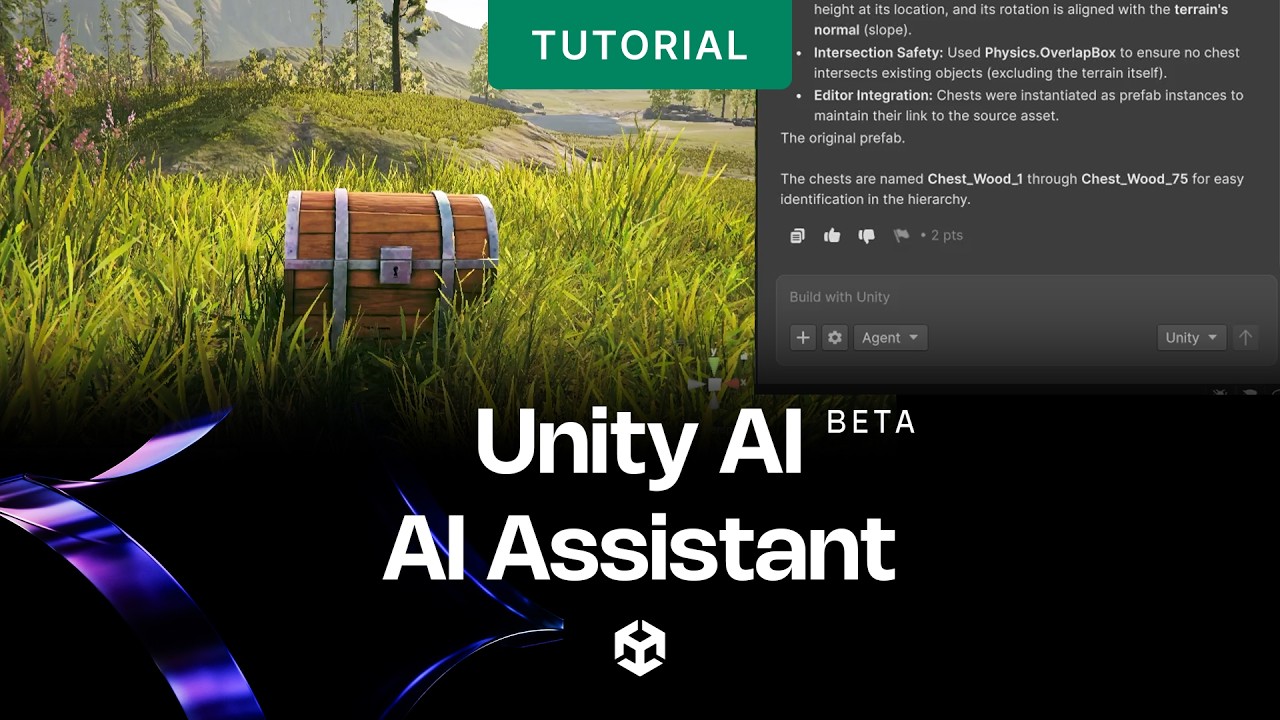
The Assistant is the headline feature and the part most developers will use day to day. It works through a conversational interface and operates in three modes: Ask, Agent, and Plan.
Ask Mode
This is your standard question and answer mode. You can ask things like how to set up a navmesh, why your script is throwing a null reference, or what a specific Unity API does. Because the Assistant has access to your project, the answers are usually more relevant than what you would get from a general chatbot.
Agent Mode
Agent mode is where things get interesting. You give it a goal, and it actually executes editor actions on your behalf. It can create scripts, modify components, set up scenes from prompts, and verify that the changes behave as intended. This is the closest Unity has come to true agentic development, and it works surprisingly well for simple tasks.
Plan Mode
Plan mode breaks down a complex request into smaller steps before executing. This is useful when you want some oversight on what the agent is about to do, especially in a project where you cannot afford for it to make a mess of your hierarchy.
Unity AI Download and Installation
Getting Unity AI installed is straightforward, but it is not enabled by default. Here is what you need to do:
Install Unity 6.0 or a later version from the Unity Hub or the release archive
Make sure your project is linked to a Unity Cloud project, since the AI features rely on cloud connectivity
Open the Editor and click the AI button in the toolbar
Install the Assistant package when prompted
If you do not see the AI button, you can install the package manually through the Package Manager
The whole setup process takes under ten minutes for most developers, and Unity has improved the onboarding considerably from the early closed beta where the install path was confusing.
Is Unity AI Free?
Yes and no. Unity AI is available free for fourteen days through a trial for Unity Personal users. The trial gives you 1,000 credits to spend on Assistant queries and asset generation. After the trial expires, the cost is $10 per month for 1,000 credits if you stay on the Personal tier.
If you are already on Unity Pro, Enterprise, or Industry, the good news is that Unity AI is included in your existing seat. You do not pay extra, you just install the package and your credits are bundled into your subscription. For studios that already pay for Pro, this makes Unity AI essentially free, which is a smart move on Unity's part.
For comparison, the old Muse product cost around $30 per month as a separate add on. The new pricing structure is friendlier, especially for hobbyists and indie devs who only need occasional help.
Unity AI Plugin Ecosystem
One of the more exciting parts of Unity AI is the AI Gateway, which lets you connect third party AI subscriptions and tools directly into the editor. If you already pay for an external AI service, you do not need to abandon it. You can route your existing subscription through the Gateway and use it inside Unity with full project context.
The MCP Server takes this a step further by exposing Unity project data to external tools. This means an IDE like VS Code, or a third party assistant like Bezi, can read your scene hierarchy and components without you having to copy paste anything. For studios that have built their own tooling, this is a big deal.
All third party AI tools and MCPs that integrate with Unity AI are subject to Unity Core Standards, which Unity has said applies even to tools distributed outside the Asset Store or Package Manager. This is Unity's way of trying to keep quality control over the ecosystem, though some developers have raised concerns about how strictly this will be enforced.
Unity AI at GDC 2026
Unity AI was one of the most talked about announcements at the Game Developers Conference 2026, which wrapped up on March 13. Unity used the conference stage to demo a prompt to game feature, where a developer described a top down roguelike with melee combat and procedural dungeons, and had a playable prototype running in about twenty minutes.
The demo got mixed reactions. The speed was genuinely impressive, and the generated C# code was clean enough that a developer could iterate on it without throwing it away. The honest criticism, which we heard from multiple indie developers at the conference, is that the prototypes looked extremely generic. The roguelike played like every other Unity tutorial roguelike, which is to be expected from a system that has been trained on existing patterns.
The bigger story from GDC was that AI capability is no longer a real differentiator between Unity and Unreal. Both engines will have competitive AI tooling by the end of 2026, so the choice between them now comes back to the traditional factors: rendering, platform support, community, and asset ecosystem.
Unity AI vs Unity Muse
This is one of the most common questions we see on developer forums, so let us settle it. Unity Muse is officially deprecated. It is being retired completely and replaced by Unity AI.
Muse, which originally launched in 2023, used Unity's first party AI models and lived as a standalone tool outside the editor. It cost $30 per month as a separate subscription. Unity quietly killed it during their 2024 cost cuts and restructuring, then reworked the entire AI strategy from scratch.
Unity AI is the successor, but it is not just Muse 2.0. The new product uses third party frontier models, lives inside the editor with full project context, and is bundled into Unity subscriptions instead of being a separate paid add on. Unity Sentis, the runtime inference engine for shipping AI inside your actual game, is still active and is not affected by the Muse retirement.
If you were a Muse subscriber, your workflow has been migrated to the new Unity AI, and most users have reported that the new product is meaningfully better than what Muse offered.
Unity AI User Experience
The user experience of Unity AI is a clear improvement over the old Muse, but it still has rough edges that you would expect from a beta product. The Assistant interface is clean and lives in a docked panel inside the editor, so you do not have to alt tab to a browser to ask a question.
Response speed is generally good, though we noticed some latency on more complex agent tasks where the system has to read a lot of project context before responding. Generated code quality is acceptable for most game dev tasks, and we appreciated that the Assistant respects your existing coding style instead of forcing its own conventions.
Where the user experience falls down is in error handling. When the agent makes a mistake or gets confused, the recovery path is not always obvious. The diff and approval system for changes is helpful, but it can be tedious if you are running a lot of small experiments. Unity has acknowledged this and said improvements are coming in later beta updates.
Asset tagging is one of the smarter UX choices. Every AI generated asset carries embedded metadata that flags it as AI generated, which is genuinely useful for studios that need to manage app store declarations or verify usage rights down the line.
Pros and Cons of Unity AI
Pros
Deep integration with the Unity 6 editor that no third party tool can match
Three operating modes give you flexibility from quick questions to full agent execution
Bundled into existing Pro, Enterprise, and Industry subscriptions at no extra cost
AI Gateway lets you use your own third party AI subscriptions without leaving the editor
MCP Server opens the door for serious tooling integration with external IDEs
Asset tagging system helps with compliance and IP tracking
Genuinely speeds up boilerplate work like player controllers and basic systems
Cons
Still in open beta, so expect bugs and changes
Generated character models and complex assets often need significant artist review
Prompt to game feature produces generic output that needs heavy customization
Personal tier credit limits can run out quickly during heavy development sessions
Error recovery in Agent mode is not always intuitive
Quality is a step behind some third party assistants like Bezi for raw helpfulness
Dependence on Unity Cloud means offline workflows are not supported
Frequently Asked Questions About Unity AI
1. What is Unity AI and how is it different from Unity Muse?
Unity AI is the new in-editor AI assistant from Unity Technologies, launched in open beta on May 4, 2026. It replaces Unity Muse, which has been deprecated. The key differences are that Unity AI uses third party frontier models like Gemini instead of Unity's own first party models, lives inside the Unity editor with full project context, and is bundled into Unity subscriptions instead of being a separate paid product.
2. How do I download and install Unity AI?
To install Unity AI, you need to be running Unity 6.0 or later. Open your project, link it to a Unity Cloud project, then click the AI button in the editor toolbar and install the Assistant package when prompted. If the AI button is not visible, you can install the package manually through the Package Manager. The full process takes about ten minutes.
3. Is Unity AI free to use?
Unity AI offers a 14 day free trial for Unity Personal users with 1,000 credits included. After the trial, Personal users pay $10 per month for 1,000 credits. Unity Pro, Enterprise, and Industry subscribers automatically get Unity AI included in their existing seats at no additional cost.
4. What can the Unity AI Assistant actually do?
The Unity AI Assistant can answer questions about Unity, write and modify C# scripts, generate placeholder assets, create scenes from text prompts, inspect GameObjects and components, drive editor actions in Agent mode, and verify that changes behave as intended. It operates in three modes: Ask for questions, Agent for executing tasks, and Plan for breaking down complex requests.
5. Does Unity AI work with third party AI tools and IDEs?
Yes. Unity AI ships with the AI Gateway, which lets you connect third party AI subscriptions like ChatGPT or Claude directly into the Unity editor. It also includes the official Unity MCP Server, which exposes your Unity project data to external IDEs and assistants like VS Code or Bezi, allowing them to access your scene hierarchy and components.
6. Was Unity AI announced at GDC 2026?
Yes. Unity AI was one of the major announcements at GDC 2026, where Unity demonstrated a prompt to game feature that generated a playable top down roguelike prototype in about 20 minutes. The conference also confirmed Unity's broader AI strategy and the deprecation of Muse in favour of the new Unity AI product.
7. Is Unity AI safe for commercial projects?
Unity AI is governed by the Unity Terms of Service for evaluation versions and specific click through terms during its beta phase. Every AI generated asset carries embedded metadata flagging it as AI generated, which helps with app store declarations and IP tracking. Developers remain fully responsible for managing app store declarations and verifying usage rights for any generated content used in commercial games.
8. What happened to Unity Sentis after the Muse deprecation?
Unity Sentis is still active and is not affected by the Muse deprecation. Sentis serves as the engine for running neural network models natively within the Unity Runtime, which is a separate use case from the in-editor assistant features that Unity AI now covers. Developers shipping AI inside their actual games will continue to use Sentis.
9. Can I turn off Unity AI features I do not want to use?
Yes. Unity AI is not enabled by default and requires you to install the Assistant package, so you only get the features if you opt in. You also have granular control through the dashboard settings. For example, the Generators can be completely turned off while keeping the Assistant active, and permissions can be adjusted to control how much autonomy the agent has in your project.
10. Is Unity AI worth using compared to alternatives like Bezi?
It depends on your priorities. Unity AI has the deepest possible integration with the Unity editor since it is built by Unity, and for Pro subscribers it is essentially free. Third party tools like Bezi often have stronger raw assistant quality and have built up loyal communities, but they cannot match the official integration. For most developers, the right answer is to use Unity AI as your default and add a third party tool through the AI Gateway if you need more power.