We took Raycast seriously before writing this. Not a quick install, a few clicks, then an opinion. We ran it through daily working conditions on Mac, tested the Windows beta, used the AI tools across writing and research tasks, pushed the extension store, and paid attention to what genuinely works and what does not. What follows is the honest result of that.
Raycast started as a cleaner, faster alternative to macOS Spotlight. That is still at the heart of it, but in 2026 it has grown into something much bigger. It is a launcher, clipboard manager, window controller, AI assistant, snippet tool, and platform for over 1,500 community extensions, all triggered from a single keyboard shortcut. Whether that is brilliant or overwhelming depends on who you are and how you work.
Raycast 2026 Summary
|
Product |
Raycast |
|
Primary Platform |
macOS (Windows beta available, iOS companion app) |
|
Free Plan |
Yes, permanently free with no expiry |
|
Pro Plan Price |
$8 per month (billed annually) or $10 per month (billed monthly) |
|
Advanced AI Add-on |
$8 per month on top of Pro |
|
AI Models Supported |
GPT-4o, Claude (Anthropic), Gemini, Perplexity, Mistral, xAI Grok |
|
Extensions Available |
Over 1,500 community-built extensions |
|
Window Management |
Built-in, no extra app needed |
|
Clipboard History |
3 months free, unlimited on Pro |
|
Login Required |
Yes, a free Raycast account is required |
|
Wallpapers |
Free collection available at raycast.com |
|
Icon Polls Rating |
3.5 out of 5 |
Icon Polls Ratings Breakdown
We rated Raycast across ten categories based on real use. Here is where it stands.
|
Category |
Score (out of 5) |
|
Ease of Use |
3.5 / 5 |
|
Download & Setup |
4.5 / 5 |
|
Login & Onboarding |
3.0 / 5 |
|
AI Features |
4.0 / 5 |
|
Window Management |
4.0 / 5 |
|
Wallpaper & Design |
4.5 / 5 |
|
Extensions Ecosystem |
4.0 / 5 |
|
Free Plan Value |
4.5 / 5 |
|
Pricing Fairness |
3.5 / 5 |
|
Overall User Experience |
3.5 / 5 |
|
OVERALL ICON POLLS RATING |
3.5 / 5 |
What is Raycast and Who Is Behind It?
Raycast was built by Thomas Paul Mann and Petr Nikolaev, two former Facebook engineers who got tired of the friction that comes from constantly switching between apps and reaching for a mouse. They wanted one place, triggered by one hotkey, that could handle almost anything. That idea has grown into a proper company with a growing team and meaningful investment behind it.
The product is built primarily for Mac, and that is still where it works best. But the Windows version, which launched in public beta in late 2025, is expanding quickly. The core pitch is simple: replace the applications you switch between all day with a single command palette that learns your workflow. In practice it replaces Spotlight, your clipboard manager, your window snapping app, your text expander, and increasingly your AI chat window, all at once.
How to Download Raycast in 2026
Downloading is straightforward. Mac users go to raycast.com and grab the installer directly. On Apple Silicon Macs, the 2026 updates have pushed the launch window to under 50 milliseconds. That is not a marketing claim; you genuinely cannot perceive the delay when you hit your hotkey.
For Windows, the beta launched in November 2025 and can be installed via the Microsoft Store or with the command winget install raycast in the terminal. Windows 10 version 1903 or later is required, as is Windows 11. Core features including the command palette, clipboard history, AI chat, and window management work on Windows. The extension library on Windows currently has fewer options than the Mac version, with more being ported over time.
There is also an iOS companion app that gives you access to AI chat, quick links, notes, and snippets on your phone. No Android version exists as of mid-2026.
Raycast Login: Do You Need an Account?
Yes. You need a Raycast account before you can use the app. That requirement has been one of the more discussed friction points since the product launched, particularly among users who prefer tools that work entirely offline.
That said, the login process is clean. You create a free account through the Raycast website, verify via email, and the app authenticates within a minute. For free users, the account stores basic preferences. For Pro users, it enables cloud sync, meaning your snippets, clipboard history, quicklinks, and settings follow you between machines. If you work across more than one Mac, that feature alone justifies the account requirement.
It is a minor point of friction but worth knowing before you download.
Is Raycast Free? What Do You Actually Get?
The free tier is one of Raycast's genuine strengths. You get the full launcher, window management, snippets, quicklinks, file search, calculator, emoji picker, and the entire extensions library at no cost, permanently. No credit card, no trial period, no expiry. Clipboard history is included but capped at three months of storage.
Free users also get 50 AI messages per month, which is enough for occasional use but runs out quickly if you start relying on it for daily tasks.
The Pro plan costs $8 per month on an annual billing cycle, or $10 per month if you pay monthly. It adds unlimited AI messages, unlimited clipboard history, cloud sync, custom themes, a built-in translator, and unlimited notes. There is also an Advanced AI add-on for a further $8 per month on top of Pro, which unlocks higher-tier models and increased rate limits. For teams, a Teams Pro plan sits at $12 per month per user annually.
The free tier is genuinely good. The Pro tier is reasonably priced. The Advanced AI add-on starts to feel a bit stacked on top of an already paid tier, which is partly why pricing scored a 3.5 in our ratings.
Raycast AI Features in 2026
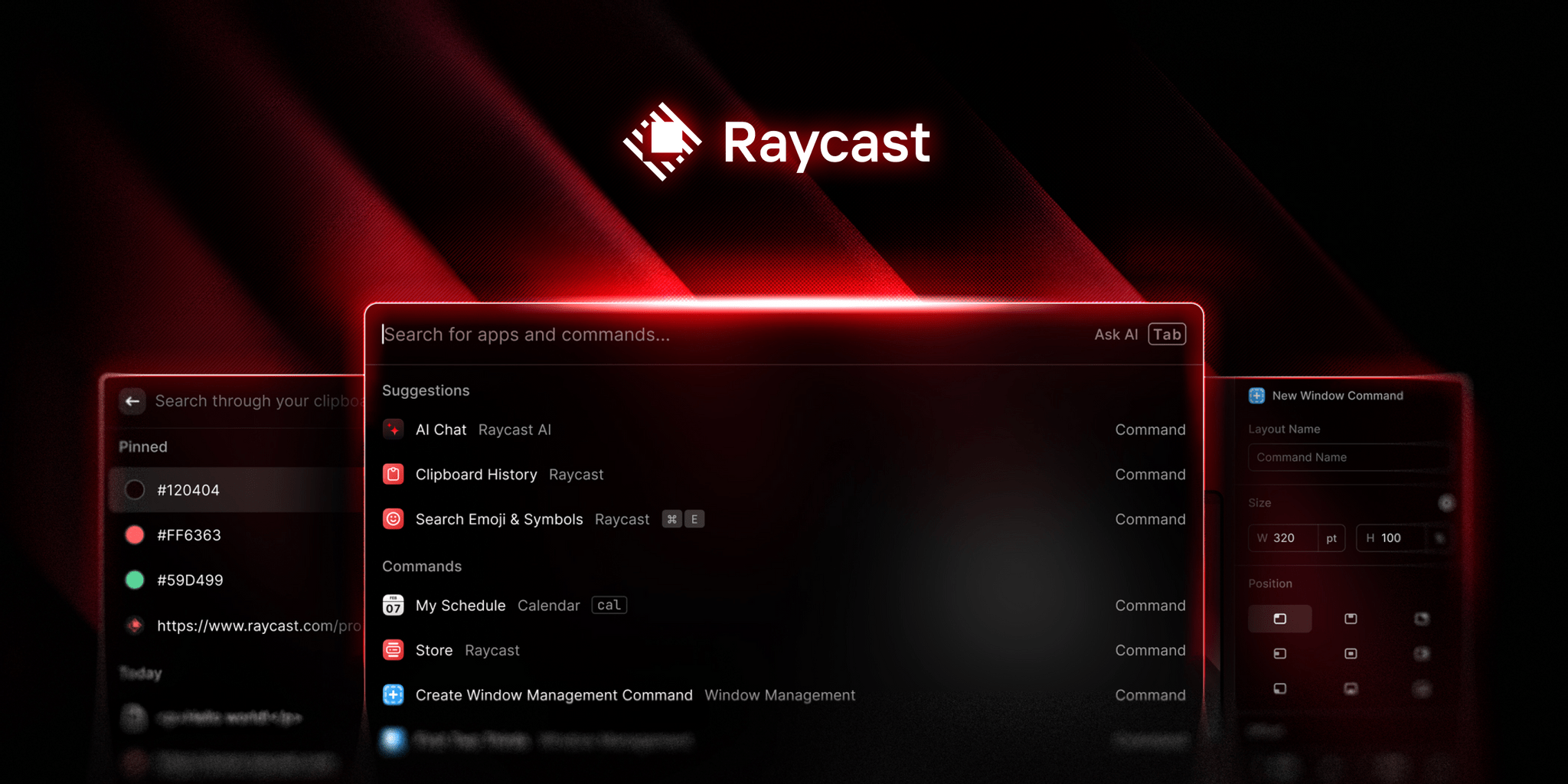
This is where the most has changed and where the product is most ambitious. Raycast AI is not bolted on like a chatbot widget. It sits at the operating system layer, meaning you can trigger it from anywhere on your Mac without switching apps or opening a tab.
AI Chat gives you access to multiple models in one place. Pro subscribers can switch between GPT-4o, Claude from Anthropic, Gemini, Perplexity, Mistral, and xAI's Grok. Switching takes two clicks and a brief description of each model's strengths appears when you do, which is a small but useful touch.
Quick AI lets you select text anywhere on your screen, trigger Raycast, and ask a question or run a command on that text without leaving your current app. Once you get used to this, going back to copying things into a browser tab feels like a step backward.
For users worried about data privacy, there is also full support for local AI models through an Ollama integration. Over 100 open-source models can be run entirely on your own machine at no cost. This is a meaningful option that most competitors do not offer.
The AI Extensions Beta, introduced in 2025, lets you build or use community workflows in natural language, connecting Raycast AI to tools like GitHub, Notion, or Linear through a conversational interface rather than code. It is still early-stage and the quality varies by extension, but the direction is clear.
Raycast Window Management
Built-in window management sounds like a small thing until you realise it has quietly replaced an app you were paying for. Raycast handles snapping, resizing, and window positioning through the same keyboard-first interface you use for everything else. Left half, right half, top half, bottom half, full screen, move to another display, custom layouts. All configurable with your own hotkeys in Settings under Extensions.
A bug that had been affecting multi-display setups, where Move To Previous or Next Display would sometimes send a window to the wrong virtual desktop, was fixed in a recent update. The Window Capture tool also had a wallpaper loading issue earlier in 2026 that has since been resolved.
For the vast majority of users, the built-in window manager covers everything. Dedicated apps like BetterSnapTool still have a small edge for very custom grid layouts, but for standard snapping and resizing, Raycast handles it cleanly without any extra software.
Raycast Wallpaper
Raycast offers a curated set of free wallpapers available directly from their website. They are clean, minimal, and dark-leaning, designed to match the aesthetic of the app itself. No Pro account is needed to download them.
Beyond wallpapers, the Window Capture tool allows you to take a screenshot of a specific Raycast window to share or use for extension store submissions. A known bug earlier in 2026 caused the desktop wallpaper to not load correctly during captures. That has been addressed in the current build.
The wallpaper offering is a small addition in the bigger picture, but it signals the kind of design attention that runs through the whole product. These are not placeholder images. They were made to fit a specific visual identity.
Raycast User Experience:
Raycast takes a few days to properly click. The first time you open it, you will probably launch an app or two and think it is just a nicer Spotlight. Then you will stumble on the clipboard history. Then you will set up a snippet. Then you will install an extension and realise you have not opened a browser tab for a GitHub pull request in three days.
That layered discovery is both the product's biggest strength and its most honest weakness. The depth is real, but it does not surface itself quickly. New users, especially those who are not developers or power users, can find the initial experience slightly overwhelming. The extension store has over 1,500 options, which is useful once you know what you are looking for and slightly paralysing when you do not.
Speed is consistently excellent. On Apple Silicon Macs the launcher opens in under 50 milliseconds. Search results appear before you finish typing. There is no lag anywhere in the experience that we found during testing.
Design is restrained and considered. The 2026 updates aligned the interface with macOS Tahoe and the app now respects your system accent colour, one of those small things that signals real care. There is a Theme Studio for anyone who wants to customise further.
File search is the weakest part. Compared to Alfred, Raycast's file indexing is noticeably less powerful. If finding documents quickly is central to how you work, you will feel that gap. This came up consistently enough in our use that it is a genuine limitation worth flagging.
Extension quality is uneven. Some feel native and are updated regularly. Others have not had attention in months and behave unpredictably. There is no enforced quality standard across the store, so a bit of trial and error is part of the experience.
Icon polls Verdict
After testing Raycast properly across Mac and Windows, our rating is 3.5 out of 5.
If you are a developer on a Mac who lives inside GitHub, Notion, Linear, and Slack, Raycast is genuinely one of the best productivity tools available. The AI, the extensions, the speed, the clipboard history, and the window management stack together into something that is more than any individual feature. At that level it probably deserves a four.
For a broader audience the picture is more mixed. File search needs work. The Windows beta still has gaps. Extension quality is inconsistent. The account requirement puts some people off before they even start. And the best version of Raycast, with unlimited AI and cloud sync, costs money that adds up.
The free tier is genuinely good and genuinely permanent, which separates Raycast from most tools in this category. But the most useful version of the product is behind a subscription. That is not unreasonable, but it is worth being clear about.
Mac-first developers and power users: install it today. Windows users and people who are not keyboard-driven in how they work: wait for the Windows version to mature or try the free tier and see if the philosophy fits.
Frequently Asked Questions About Raycast in 2026
1. Is Raycast free to use?
Yes. Raycast has a permanently free plan with no expiry and no credit card required. It includes the launcher, window management, snippets, quicklinks, file search, and the full extensions library. Clipboard history is available but capped at three months. Free users get 50 AI messages per month.
2. How do I download Raycast?
Mac users download directly from raycast.com. Windows users can install it via the Microsoft Store or using winget install raycast in the terminal. An iOS companion app is also available. There is no Android app as of mid-2026.
3. Do I need to log in to use Raycast?
Yes. A free Raycast account is required before you can use the app. You sign up through the website, verify via email, and the app authenticates in under a minute. The account enables cloud sync on Pro plans and stores preferences across sessions.
4. Is Raycast available on Windows?
Yes, but it is in beta. The Windows version launched in November 2025. Core features including the command palette, clipboard history, AI chat, and window management are available, but the extension library is smaller than on Mac and some features are still being built out.
5. What AI models does Raycast support?
Pro subscribers with the Advanced AI add-on can access GPT-4o, Claude from Anthropic, Gemini, Perplexity, Mistral, and xAI Grok. Local AI models through Ollama are available to all users, including the free tier, at no cost.
6. How does Raycast window management work?
Raycast has a built-in window manager that replaces apps like Rectangle and Magnet. You can snap windows to halves, quarters, or full screen, move them between displays, and set custom keyboard shortcuts for every layout in Settings under Extensions and Window Management.
7. Does Raycast have wallpapers?
Yes. Raycast offers a free collection of minimal, dark-leaning wallpapers designed to match the app's visual identity, available at raycast.com. No Pro subscription is needed to download them.
8. What is the difference between Raycast free and Pro?
The free plan includes the core launcher, all extensions, window management, snippets, file search, and 50 AI messages per month. Pro at $8 per month annually adds unlimited AI messages, unlimited clipboard history, cloud sync across devices, custom themes, a translator, and unlimited notes.
Raycast in 2026 is a serious tool that has clearly grown up. The launcher has become a platform, the AI layer is genuinely useful, and the free tier puts most competitors to shame. But the rough edges are real and the experience demands investment to unlock.
For the right kind of user, that investment pays off quickly. For everyone else, it is worth starting with the free tier and seeing whether the keyboard-first way of working clicks for you before committing to a subscription.