Most AI note takers compete on the same features. They record the call, produce a transcript and add a summary. Laxis has moved beyond that. In 2026 it wants to handle the whole sales call: it researches the prospect beforehand, records the conversation and drafts the follow-up afterwards. That is a bigger promise, and it makes Laxis harder to judge than a plain transcription app.
Icon Polls rates it 3.8 out of 5. The free plan is genuinely usable, it works with the main meeting platforms, and Prospect Research gives sales teams something a basic note taker doesn't. The score stays below four for two reasons. The platform is sprawling, and the strongest sales and automation tools sit on the pricier tiers.
The Scorecard
| Area | Icon Polls Score |
|---|---|
| Meeting transcription | 4.1/5 |
| AI notes and summaries | 4.0/5 |
| Prospect research | 3.9/5 |
| Login and account setup | 4.1/5 |
| Chrome extension | 3.8/5 |
| Free plan value | 3.7/5 |
| Ease of use | 3.5/5 |
| Overall | 3.8/5 |
From Transcript Tool to Sales Workspace
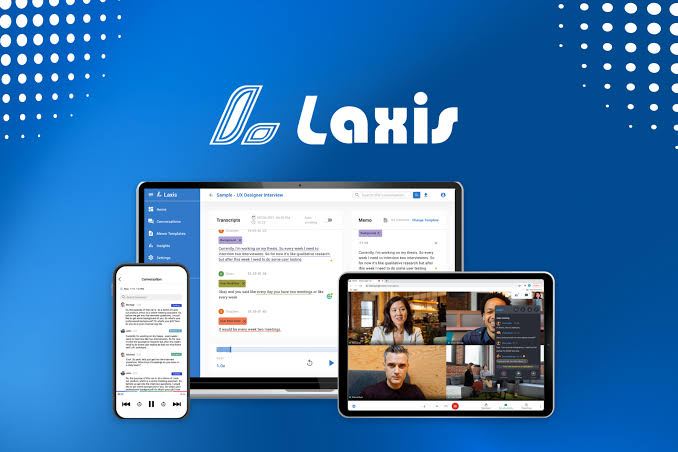
At its core, Laxis is still a meeting assistant. It captures online or in-person conversations and turns the audio into a searchable transcript. It then builds a structured summary of topics, decisions, action items and key moments.
Around that core, it now offers a prospect research agent and a set of AI sales tools. It also offers several ways to get in: a web app, desktop software, iOS and Android apps, a Chrome extension and an optional meeting bot. This flexibility is the main selling point, and it is also why the platform can confuse newcomers.
What 300 Free Minutes Actually Buys
The Basic plan costs nothing, and you don't need a credit card to sign up. You get 300 transcription minutes a month and can record both online and in-person meetings. Basic summaries, search, folders, exports and sharing are included. The free tier also includes the Laxis Voice Keyboard, which handles voice-to-text, removes filler words, trims repetition and translates.
The main limit is time. Free conversation history lasts only 30 days, so anyone who wants a permanent archive has to export regularly or pay. And 300 minutes goes quickly. Two or three long calls in a busy week will use a large share of it. For a freelancer, student or small business owner with a few meetings a month, though, the allowance is fair.
Research Before the Call
Prospect Research is the feature that separates Laxis from other note takers. It can search for potential customers, gather company details, find contacts and organise the results before outreach. The AI Research function returns structured answers based on the fields you ask for.
Used well, it acts as a pre-call briefing. It can cover a company's recent activity, its market position, its likely pain points and why it might need what you sell. The quality depends heavily on your instructions. A vague prompt returns broad, forgettable results. A prompt with clearly defined output fields gives you a research table you can actually use.
On applicable plans, research runs on separate search credits. These usually reset each billing month and do not roll over. Estimate how many companies you plan to research each month before you choose a plan.
During the Call: Bot or No Bot
Laxis works with Zoom, Google Meet, Microsoft Teams and Webex. The desktop app can record without adding a visible participant to the call. If you prefer calendar automation, you can invite the Laxis assistant bot instead. For in-person conversations and voice notes, the mobile app records through the phone microphone.
The Chrome extension is built mainly for Google Meet. Once it is connected to your account, it records from the browser and shows live captions. The transcript, summary and action points are then saved to your Laxis account. Because it needs browser and meeting permissions, install only the official version and read the permission requests. Before recording clients or colleagues, check your company's policy.
After the meeting, LaxisChat lets you ask questions about past conversations. The AI Writer turns meeting content into emails, reports and updates. Accuracy still depends on the audio. Background noise, people talking over each other, a weak connection and unusual names all cause errors. Always check figures, deadlines, names and anything legal or medical against the recording.
Getting In Without Getting Locked Out
You can sign in with Google, Microsoft or a work email. Google or Microsoft is the easiest choice if you plan to connect your calendar. The most common login problem is easy to avoid. If you created the account with Google, a separate email password won't work, so use the original sign-in method. Team members should also check that they are in the correct workspace.
Four Tiers, One Obvious Sweet Spot
| Plan | Listed Monthly Price | Best For |
|---|---|---|
| Basic | $0 | 300 minutes, basic summaries, 30-day history |
| Premium | $15.99 | 2,000 minutes, unlimited storage, AI Writer, templates, AI Chat |
| Business | $29.99 | Unlimited transcription, CRM automation, team controls, priority support |
| Enterprise | Custom | Custom volume, API, SSO, deployment, dedicated support |
Annual billing is discounted. App store prices can differ from the website because of local currencies, taxes and regional pricing. For individuals, Premium is the sensible choice. Business is worth it only when a team needs unlimited transcription, admin controls and CRM automation.
Where It Gets Crowded
Laxis works best when you stick to one workflow. For example, you research a prospect, hold the call and send the follow-up the AI Writer drafted. When the steps connect like that, it beats a standalone transcription service.
The trouble is everything else on offer: the meeting assistant, the research tools, the sales functions, the voice keyboard, and all the apps and recording options. A new user may struggle to tell which part does which job. The help centre is useful, but a simpler first-time setup would help a lot. Automation also brings a risk. If nobody checks an AI summary before it goes into a CRM or to a client, one mistake can spread quickly.
Who Should Sign Up
- Good fit: salespeople, recruiters, consultants and managers who spend much of the week on calls and need those calls turned into actions.
- Probably not: anyone who only wants the occasional transcript and would find the extra features distracting.
Start with the free plan and record two or three real meetings. Check the accuracy and summaries, and watch how quickly the 300 minutes run out. Upgrade only once it is saving you enough time to cover the monthly price. And if you have strong views on which online tools earn a place in your working day, vote for the world's most useful websites in our reader poll.
Can Laxis record without a visible bot?
Yes. The desktop app and the Google Meet extension capture audio without adding a bot to the call. The bot is optional and meant for people who want it to join meetings automatically.
Does Laxis handle other languages?
It supports transcription in many languages. Accuracy varies with accent, background noise, microphone quality and the language itself.
Can I cancel a paid plan easily?
Yes. You can cancel from account settings, and access normally continues until the end of the current billing period.