Most small teams don't have a developer, but they do have repetitive work: copying leads from a form into a CRM, pinging a salesperson, updating a spreadsheet nobody enjoys touching. Albato exists to make that work disappear. In 2026 it has also become more ambitious. It now pairs a classic automation builder with a chat-style Copilot and AI Agents that can make decisions inside a workflow.
Our editorial score is 4.0 out of 5. Albato is flexible, broadly connected and reasonably priced for individuals and small teams. The catch is the billing model. Once you understand transactions, Albato makes a lot of sense. Until you do, it can surprise you.
The Scorecard
| Area | Score |
|---|---|
| Automation builder | 4.2/5 |
| App integrations | 4.3/5 |
| AI and Copilot tools | 4.0/5 |
| Sign up and login | 4.1/5 |
| Pricing value | 3.9/5 |
| Free plan | 3.3/5 |
| Support and learning resources | 4.2/5 |
| Overall | 4.0/5 |
What Albato Actually Does
Albato is a cloud-based integration and workflow platform. One event (a submitted form, a paid invoice, a new contact) triggers a workflow, and Albato carries the data to other apps to complete the next actions. A basic setup might send a website lead to your CRM and then alert a sales rep in a messenger. A more advanced one can clean the data, check conditions, create records in several systems and send different messages depending on the outcome.
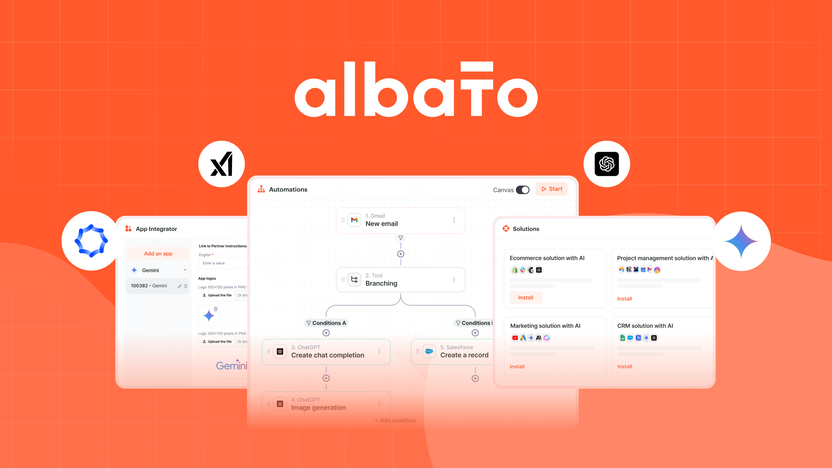
The library is the headline: more than 1,000 supported apps across sales, marketing, e-commerce, project management, databases and messaging, plus a large set of ready-made integration combinations. If a tool you rely on isn't listed but has an accessible API, the App Integrator lets you build a private or public connector yourself. That matters for agencies and SaaS companies whose stacks rarely match anyone's template.
Getting In: Sign Up, Login and the Browser
Signing up takes a few minutes: basic details, verification, and you're on the dashboard with a trial to explore the main features. Logging in is the usual email and password routine. Most login trouble comes down to a wrong password, a different email address, stale browser cookies or an account created through another sign-in method. Password reset fixes most of it. Anyone handling client work should double-check they're in the right account before editing anything live.
Don't go looking for a desktop download. Albato is primarily a web platform, and the builder is plainly designed for a laptop or desktop screen. Field mapping and multi-step logic on a phone would be miserable anyway. The upside of living in the cloud: your workflows keep running after you close the tab.
How Workflows Are Built
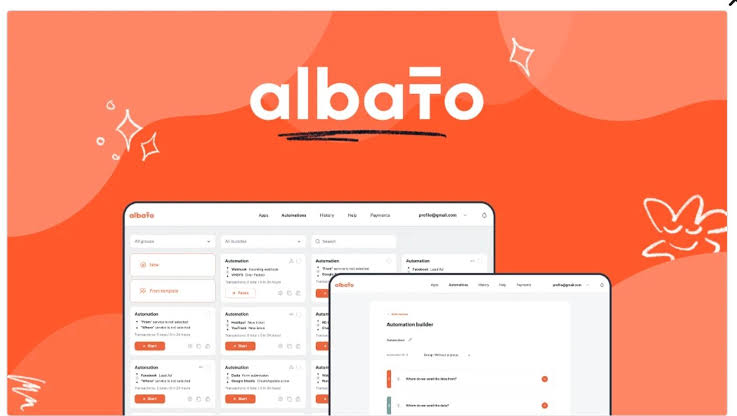
Every automation starts with a trigger and needs at least one action. Paid plans unlock unlimited active automations and unlimited steps, with filters, routers, webhooks, data transformation tools, delays and custom API requests available along the way.
The feature we'd point to as most important isn't glamorous: the automation history. It shows what ran, what data entered each step and exactly where something broke. A workflow you can't debug is a liability, and Albato takes that seriously.
The sensible way to start is small. Pick one trigger, one action, map the fields, test, activate. Jumping straight into a five-app chain makes the platform feel harder than it is.
Copilot, Albato AI and Agents
This is where Albato has moved furthest in 2026, and it comes in three layers:
- Albato AI is a step you drop into a workflow to generate or translate text, write product descriptions, parse emails and process information, without opening a separate AI account.
- Copilot builds automations through conversation. You describe the job in plain language, answer follow-up questions and let it assemble much of the workflow. It's a genuine help for people who understand the business task but not the vocabulary of triggers and fields.
- AI Agents examine incoming data and choose the next action instead of following a fixed branch. You connect supported models, write instructions, set guardrails and give the agent tools from your connected apps.
Agents are the most interesting piece and the one to handle most carefully. More freedom means more need for limits, testing and monitoring. Note too that the AI features aren't available on the Free plan.
The Transaction Question
Albato bills by transactions: each successful action step. The trigger usually doesn't count. So a workflow that writes a lead to a spreadsheet and then sends a notification uses two transactions per lead. Multiply that by a busy month and you can see why it's worth doing the maths before choosing a package.
In 2026 Albato split its pricing in two. Your plan defines how the account works, and a separate transaction package sets monthly volume, so you can scale usage without switching account types.
| Plan | Listed price | What you get |
|---|---|---|
| Free | $0 | 5 active automations, 2 steps each, 100 transactions |
| Pro | $22 monthly, or $15 monthly billed annually | Unlimited automations and steps, AI tools, 1 user, transaction packages |
| Teams | $93 monthly, or $65 monthly billed annually | 5 seats, team controls, shared workspaces, priority support |
| Custom | Contact Albato | Flexible limits, dedicated support, SLA options |
The Pro price is based on 1,000 monthly transactions, and bigger packages cost more. When this review first ran, Teams was still marked as coming soon on Albato's public pricing page, so check availability for your account.
The part to watch: when a paid package runs out, Albato can keep workflows alive by automatically buying extra transactions if you have a payment method or balance on file. Those cost more than the package rate. It prevents outages, but it can also produce an unexpectedly large bill.
Where It Frustrates
Field mapping gets confusing when an app returns a pile of technical values. Some error messages send you to the help centre or live chat. And a workflow that passes one test can still fail when a field is empty, a date arrives in another format or an app changes its permissions. That's true of every automation tool, but it's worth saying plainly. Test with messy, real data.
Support softens this. The help centre is solid, paid users get live chat and Copilot takes some sting out of the early learning curve.
Our Verdict
Albato is a serious option for freelancers, agencies and growing teams that want more control than a one-step connector offers. The app library, unlimited steps on paid plans, custom connectors and AI tools justify the 4.0. The free plan is fine for learning but too tight for real business use, and transaction costs reward anyone who monitors them.
Our advice: pick one repetitive task that already wastes your time, build it during the trial and watch how many transactions it burns in a normal week. If the hours saved outweigh the plan plus transactions, pay for it. And if you have opinions on which online tools earn a permanent tab, add your vote to our poll on the world's most useful websites.
Quick Answers
Is Albato free?
Yes. The Free plan includes 100 transactions, up to five active automations and two steps per automation. It's enough to test simple workflows, not to run a business on.
Can I connect an app Albato doesn't list?
If the app has an accessible API, yes. You can build a private or public connector with the App Integrator or ask Albato about adding it.
What happens when my transactions run out?
On paid plans, workflows can continue through automatically purchased extra transactions if a payment method or balance is available. They cost more than your package rate, so keep an eye on usage.